How Can I Use AI to Analyse My Presentation Effectiveness?

AI minutes 10 minutes

Introduction

You have delivered the presentation. The slides looked good, you hit your talking points, and the audience nodded along. But was it effective? Did people understand your message? Did they stay engaged? Would they act on it tomorrow?

For years, answering those questions meant guesswork — a feedback form with three vague responses, or a colleague saying “nice job” without specifics. AI changes that. Today, tools powered by machine learning can analyse your delivery, your slides, and even your audience’s reactions — giving you data, not opinions.

This article covers practical ways to use AI to measure and improve your presentation effectiveness, from speech analysis to slide design scoring to real-time audience sentiment tracking. Whether you present in a boardroom, a classroom, or over Zoom, these techniques work in Singapore’s corporate environment and beyond.

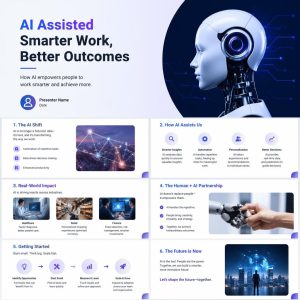
Presentation slide deck discussing AI-assisted work, including benefits, real-world impact, automation, human partnership, steps to get started, and a futuristic outlook, with related images and icons.Why Traditional Feedback Falls Short

Before diving into AI, it is worth understanding what is broken about the old way:

  • Feedback forms get a 5–10% response rate. The people who fill them out are either very happy or very unhappy — a skewed sample.
  • Peer reviews are polite. Colleagues avoid criticising a coworker’s presentation style directly.
  • Self-assessment is biased. Most people rate their own presentations higher than audiences do.
  • Post-meeting surveys capture memory, not experience. By the time someone fills it out, they have forgotten the moment they zoned out.

AI solves these problems by capturing objective data in real time: what you actually said, how you said it, what your slides looked like, and how the room responded — second by second.
AI Speech Analysis: What You Say and How You Say It

The single biggest factor in presentation effectiveness is delivery. AI speech analysis tools break your delivery into measurable components.

Pacing and Filler Words

Tools like Otter.ai, Fireflies.ai, and Microsoft Speaker Coach (built into PowerPoint and Teams) transcribe your presentation and flag:

  • Words per minute — too fast (above 170 wpm) and you lose people; too slow (below 110 wpm) and they drift off. Singapore presenters tend to speak faster than the global average; AI gives you a hard number.
  • Filler words — “um,” “ah,” “lah,” “you know,” “actually.” One “um” per minute is normal; five is a habit. AI counts them precisely.
  • Monotone detection — does your pitch stay flat? AI analyses vocal variation and flags sections where you sound disengaged.
  • Inclusivity checks — Microsoft Speaker Coach notes if you are saying “you guys” instead of “everyone” or overusing gendered language.

Real-Time Prompts

PowerPoint’s Speaker Coach runs while you rehearse. It gives on-screen nudges: “You are reading from the slide” or “Try varying your pitch.” This is like having a presentation coach in the room during practice, not after.

What to Do With the Data

After three practice runs with AI speech analysis, you will see patterns. Most people discover they say “um” 40+ times in a 20-minute talk without realising it. Cut that to 10, and the audience perceives you as more confident — even if nothing else changes.

AI Slide Design Analysis: Your Deck Under a Microscope

Slides are the visual half of your presentation. Bad slides sabotage good speakers. AI can now evaluate slide design against data-backed principles.

What AI Slide Analysers Check

Element What AI Measures
Text density Words per slide. Above 30 words, retention drops sharply.
Font hierarchy Are headings clearly distinct from body text? Does your eye know where to go?
Colour contrast Is text readable against backgrounds? WCAG accessibility standards applied.
Image relevance Does the image support the message or is it decoration? AI vision models score this.
Reading order Screen-reader compatibility. Important for accessibility compliance in Singapore government and MNC settings.
Data visualisation clarity Are charts labelled? Is the right chart type used for the data?

Tools You Can Use

  • PowerPoint Designer (built-in) — suggests layout improvements as you build slides. It is basic but catches obvious problems.
  • Plus AI for Google Slides — generates slides from prompts and scores existing decks.
  • Gamma — AI-native presentation builder that enforces good design rules by default.
  • Canva AI — analyses design consistency, font pairing, and colour harmony.

A Practical Workflow

  1. Build your deck normally.
  2. Run it through an AI design checker.
  3. Fix the top 3 issues — usually too much text, poor contrast, or inconsistent fonts.
  4. Present.

A 2019 study by the Presentation Guild found that audiences rate presenters as 26% more credible when slides follow basic design principles. AI makes those principles automatic.

AI Audience Sentiment Analysis: Reading the Room

This is where AI gets genuinely impressive. Instead of asking “any questions?” and getting silence, you can measure engagement in real time.

Facial Expression and Attention Tracking

Tools like Zoom’s AI Companion (included in paid plans) and Microsoft Teams Premium can analyse:

  • Attention scores — is the audience looking at the screen or at their phones?
  • Facial expressions — aggregated sentiment (engaged, confused, bored) across participants.
  • Speaking ratio — what percentage of time is the audience talking versus you? A healthy interactive session is 60:40, not 99:1.

Privacy note: In Singapore, PDPA rules apply. Always inform participants if AI analysis is active. Enterprise tools aggregate data — they report “the room was 70% engaged at minute 12,” not “John was bored.”

Live Polling and Sentiment via AI

Tools like Mentimeter, Slido, and AhaSlides integrate AI to:

  • Generate polls from your slide content — upload your deck, AI suggests poll questions at natural break points.
  • Word cloud sentiment — ask “what is one word describing this proposal?” and AI clusters responses into themes.
  • Q&A prioritisation — AI ranks audience questions by relevance and upvote count so you address the most important ones first.

Post-Presentation Sentiment Reports

After a Zoom or Teams meeting, AI generates a report showing:

  • Engagement timeline — exactly which slide lost the audience (minute 7? minute 14?)
  • Talk-to-listen ratio — did you monologue or facilitate?
  • Chat sentiment — were questions positive, confused, or negative?

This turns “I think it went well” into “slide 7 caused a 40% attention drop — let me rework it.”


AI Content and Structure Analysis

The words on your slides and in your script matter as much as your delivery. AI writing tools can evaluate your content structure.

What AI Analyses

  • Readability score — Flesch-Kincaid or similar. Corporate presentations often use jargon that AI flags as hard to read. Aim for Grade 8–10 level for a general business audience.
  • Story arc detection — does your presentation have a clear beginning, middle, and end? AI tools trained on narrative structure can identify missing elements.
  • Call-to-action clarity — is it obvious what the audience should do next? AI checks if your final slide includes a specific, actionable CTA.
  • Jargon density — counts industry-specific terms and flags when you have used too many for a general audience.

Practical Tools

  • Grammarly Business — analyses tone, clarity, and engagement level of your speaker notes.
  • ChatGPT / Claude — paste your script and ask: “What question will the audience most likely ask after this presentation?” or “Which section is weakest and why?”
  • Hemingway App — highlights complex sentences. If your speaker notes are in the red zone, your audience is working too hard to follow you.

Example: Before and After

Before (AI-scored poorly):

“The synergistic integration of our cross-functional operational frameworks will facilitate enhanced stakeholder value propositions through optimised resource allocation methodologies.”

After (AI-suggested rewrite):

“By getting our teams to work together better, we can deliver more value to clients with the same resources.”

Same message. Second version scores higher on readability, clarity, and engagement. AI does not change what you say — it changes whether people understand it.

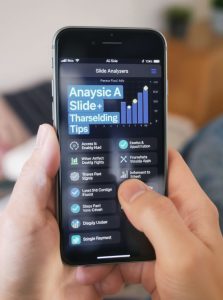
Person holding a mobile phone displaying a data analysis app with graphs and various analysis options on the screen.AI Video Analysis of Recorded Presentations

For asynchronous presentations — training videos, webinar recordings, sales demos — AI video analysis takes everything further.

What AI Video Tools Measure

  • Eye contact — are you looking at the camera or reading notes off-screen?
  • Gesture analysis — do hand movements support or distract from your message?
  • Background and lighting — is your setup professional? AI evaluates framing, lighting, and background clutter.
  • Caption accuracy — auto-generated captions are checked for errors that could confuse viewers.

Tools for Video Analysis

  • Yoodli — records your presentation and gives an AI coach report on pacing, filler words, eye contact, and body language. Used by Toastmasters clubs worldwide.
  • Descript — transcribes your video and lets you edit the script to automatically edit the video. Also analyses filler word count and pacing.
  • Vidyard AI — analyses viewer engagement on recorded presentations: which sections were rewatched, skipped, or caused drop-off.

Using Viewer Behaviour Data

If 60% of viewers drop off at minute 4, your introduction is too long. If a specific slide gets rewatched 3×, that content is confusing or important. AI-generated heatmaps of viewer attention tell you exactly where to tighten.


Building an AI Presentation Feedback Loop

Using AI once is interesting. Using it systematically makes you better every time. Here is a repeatable workflow:

Step Action Tool Example
1. Script Run speaker notes through readability and jargon check Grammarly, Hemingway
2. Slides AI design analysis for text density, contrast, layout PowerPoint Designer, Canva AI
3. Rehearse Record practice run with speech analysis Speaker Coach, Otter.ai
4. Deliver live Capture audience engagement and sentiment Mentimeter, Zoom AI Companion
5. Review Analyse recording for pacing, filler words, engagement timeline Yoodli, Fireflies.ai
6. Improve Apply top 3 findings to next presentation

What Improvement Looks Like Over Time

Month 1: You discover you say “um” 52 times per 20-minute talk. Speech analysis confirms it. You practise reducing it.

Month 3: Filler words drop to 18 per talk. AI also flags that your slides average 47 words each. You redesign them to 20 words average.

Month 6: Your audience engagement scores rise from 55% to 78%. AI sentiment analysis shows fewer confused expressions during complex sections. Meeting feedback forms show 4.8/5 ratings instead of 4.1.

This is not theoretical — it is measurable, incremental improvement driven by data.

AI Tools Comparison at a Glance

Tool Best For Cost Singapore Availability
PowerPoint Speaker Coach Rehearsal feedback, pacing, filler words Free with Microsoft 365 Yes
Otter.ai Transcription, post-meeting analysis Free tier / Pro ~$16/mo Yes
Fireflies.ai Meeting transcription, sentiment, engagement scores Free tier / Pro ~$18/mo Yes
Yoodli Video presentation coaching, eye contact, body language Free tier / Pro ~$12/mo Yes
Mentimeter Live polling, word clouds, AI-generated quiz questions Free tier / Pro ~$18/mo Yes
Grammarly Script readability, tone, clarity Free tier / Premium ~$15/mo Yes
Canva AI Slide design analysis, layout suggestions Free tier / Pro ~$13/mo Yes
Zoom AI Companion Attention tracking, meeting summary, talk ratio Included in paid Zoom plans Yes

All tools listed are accessible from Singapore and comply with standard enterprise data policies. Check individual privacy terms if handling sensitive or government data.

Conclusion

AI does not make you a better presenter by magic. It gives you something better than magic: data. Instead of wondering whether your presentation landed, you know — slide by slide, word by word, audience reaction by audience reaction.

Start with the free tools: PowerPoint Speaker Coach for rehearsal, Grammarly for script clarity, and Mentimeter for live audience engagement. Add video analysis with Yoodli when you are ready to go deeper. Build the 6-step feedback loop into your routine, and in six months you will have objective proof of improvement — not just a feeling.

For Singapore professionals looking to master AI-enhanced communication, explore CBS Training’s AI and business productivity courses at www.cbs.com.sg. From AI problem-solving toolkits to presentation design workshops, CBS equips you with the skills to present with confidence backed by data.


Published by CBS Training, Singapore. For course enquiries, visit www.cbs.com.sg or call (+65) 6338 3882.