Download Corporate Calendar 2027 Download

Download Corporate Calendar 2027 Download
 12 minutes
 Writing remains the most valuable professional skill—and AI is fundamentally changing how we do it. In Singapore’s fast-paced business environment, professionals who master AI writing tools spend less time on repetitive drafting and more time on strategy, relationships, and impact.
But here’s the truth most people miss: AI writing tools aren’t about replacing writers. They’re about amplifying human creativity and decision-making. A lawyer who uses AI communication techniques to draft contracts faster isn’t working less—they’re working smarter. A marketing manager who uses AI automation tools to generate email variations isn’t losing their job—they’re focusing on campaign strategy instead of copywriting.
This comprehensive guide teaches you exactly how to adopt AI writing tools in ways that boost productivity, enhance business communication, and help you command higher rates or advance faster in your career. Whether you’re in finance, marketing, education, or any Singapore-based industry, these strategies apply immediately.
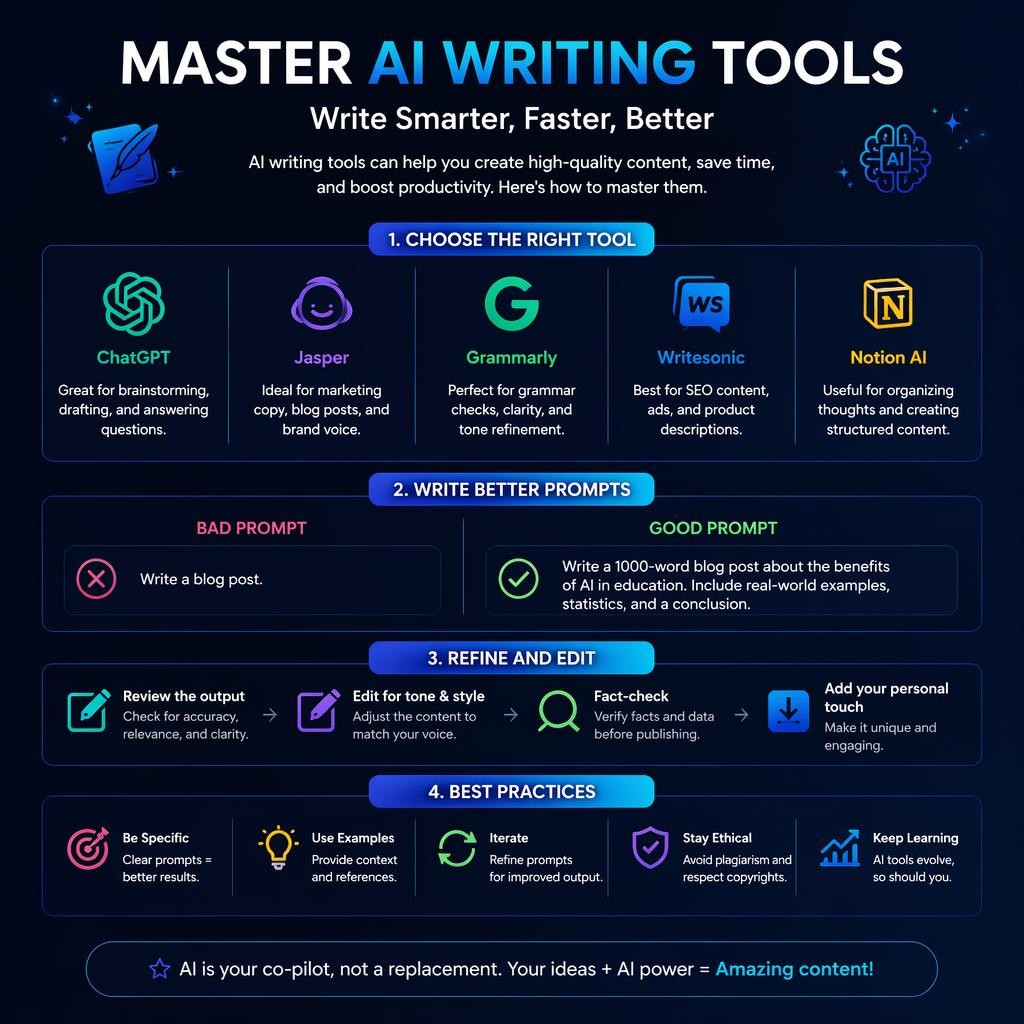
AI writing tools have evolved far beyond simple autocomplete. Modern tools use advanced language models trained on billions of words to understand context, tone, audience, and intent.
ChatGPT (OpenAI) The most widely used AI writing tool. Free version available; paid tier ($20/month) offers priority access and faster processing.
Google Gemini Integrated across Gmail, Docs, and Drive. Free tier available; enterprise version for organizations.
Microsoft Copilot in Word Native integration for Microsoft 365 users. Part of your Office 365 subscription.
Grammarly with AI AI-powered grammar and style suggestions. Free and premium versions.
Each tool has different strengths. Learning when to use each one is part of mastery.
The average professional spends 8–12 hours per week writing emails, proposals, and reports. AI writing tools compress this dramatically.
Real Workflow: Professional Email
Without AI:
With AI:
Time reclaimed: 23 minutes per email. For someone writing 5 emails daily, that’s nearly 2 hours per day—10 hours per week.
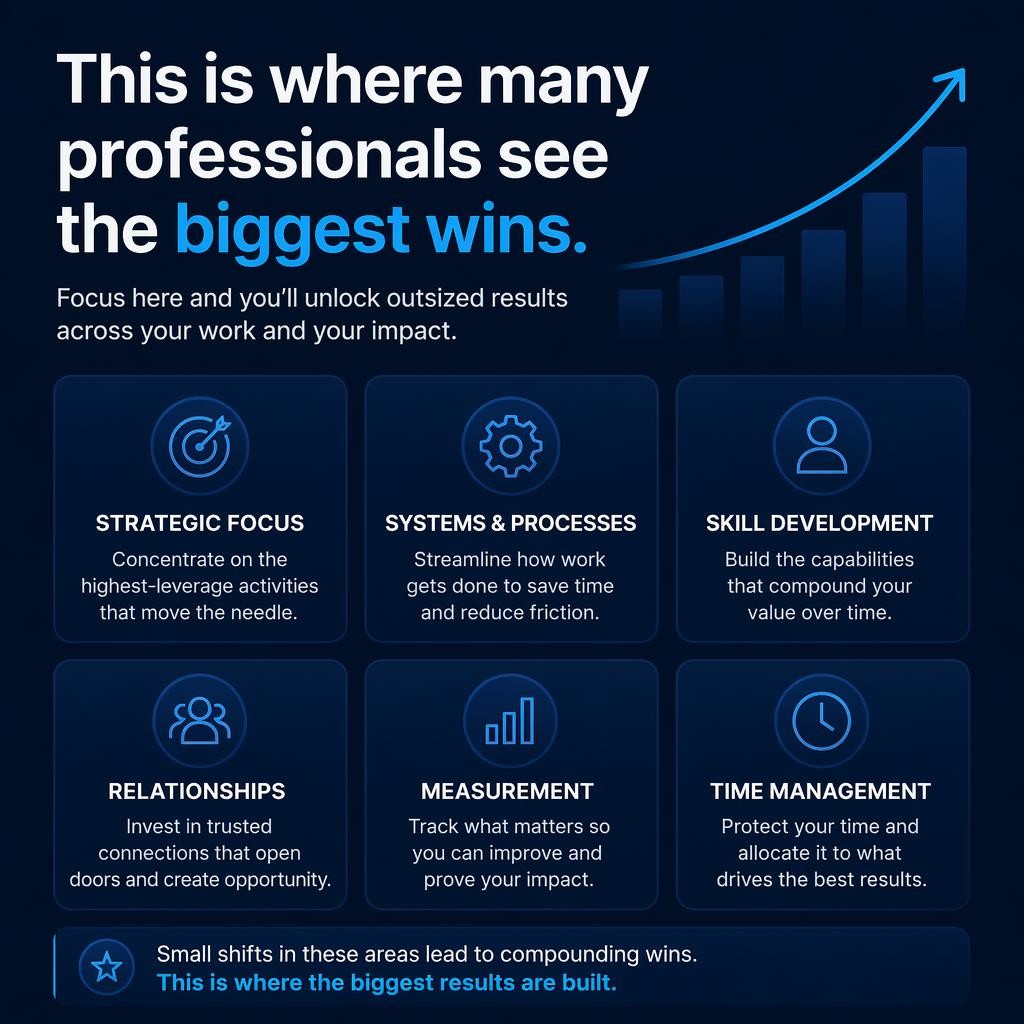
This is where many professionals see the biggest wins. AI communication techniques include using AI not just for drafting, but for intelligent editing.
Common editing tasks AI handles:
Example: “This paragraph is too technical for a general audience. Can you rewrite it in simple language while keeping all the key information?”
AI delivers a plainer version in seconds. You keep control of the final message.
Beyond drafting and editing, AI automation tools help you think more clearly.
Strategic use cases:
Example prompt: “I need to explain to my team why we’re pivoting our product strategy. This is a sensitive topic. Can you suggest 3 different narrative approaches and their pros/cons?”
AI gives you frameworks. You choose the one that feels authentic.
The average professional spends 8–12 hours per week writing emails, proposals, and reports. AI writing tools compress this dramatically.
Real Workflow: Professional Email
Without AI:
With AI:
Time reclaimed: 23 minutes per email. For someone writing 5 emails daily, that’s nearly 2 hours per day—10 hours per week.
This is where many professionals see the biggest wins. AI communication techniques include using AI not just for drafting, but for intelligent editing.
Common editing tasks AI handles:
Example: “This paragraph is too technical for a general audience. Can you rewrite it in simple language while keeping all the key information?”
AI delivers a plainer version in seconds. You keep control of the final message.
Beyond drafting and editing, AI automation tools help you think more clearly.
Strategic use cases:
Example prompt: “I need to explain to my team why we’re pivoting our product strategy. This is a sensitive topic. Can you suggest 3 different narrative approaches and their pros/cons?”
AI gives you frameworks. You choose the one that feels authentic.
The quality of AI output depends almost entirely on prompt quality. Good prompts follow a simple pattern.
1. Role/Context “You are a professional copywriter specializing in fintech communications…”
2. Task “…write a cold email to a prospective client…”
3. Constraints “…in under 150 words, professional but friendly tone, mentioning their recent Series A funding…”
4. Format/Tone “…formatted as a body text (no subject line), ready to send with one personalization step.”
Full example: “You are a professional business writer. Write a follow-up email to a prospect we met at a conference 2 weeks ago. We discussed their supply chain challenges. I want to remind them of our conversation, reference one specific point they mentioned, and propose a 20-minute call. Keep it under 120 words, warm but professional. Format it as ready-to-send text.”
Result: AI delivers exactly what you need. You change 1–2 personalization details and send.
Mistake 1: Vague Prompts
Mistake 2: Skipping Context
Mistake 3: Ignoring Iteration Don’t expect perfection on take one. Ask follow-up questions:
Each refinement brings the output closer to your vision.
Scenario: Drafting terms of service updates.
Without AI: 4 hours of writing, editing, review cycles.
With AI: Draft structure in 20 minutes, customize for your business context in 1 hour, review final version in 30 minutes.
Time saved: 2+ hours per document.
Scenario: Creating email campaign variations.
Without AI: Write one email, manually create 3–5 variations for A/B testing. 2–3 hours.
With AI: Write one email, ask AI to generate 5 variations (different angles, CTAs, tones). 15 minutes.
Time saved: 1.5+ hours per campaign.
Scenario: Preparing a performance review or difficult feedback conversation.
Without AI: Agonize over phrasing to be clear but supportive. 1+ hour.
With AI: Sketch your key points, ask AI to draft a respectful version that addresses concerns while maintaining morale. 10 minutes to writing, 20 minutes to personalization.
Time saved: 30 minutes, plus better phrasing.
Scenario: Turning raw data analysis into an executive summary.
Without AI: Review data, write findings, refine narrative. 3–4 hours.
With AI: Share key findings with AI, ask it to structure as an executive summary with clear implications. 30 minutes.
Time saved: 2–3 hours per report.
Using AI writing tools means understanding data safety, especially in Singapore where PDPA (Personal Data Protection Act) compliance is mandatory.
1. Never paste confidential data into free public AI tools
2. Anonymize sensitive information Instead of: “Draft a response to Sarah Chen, who is disappointed with her salary review” Use: “Draft a response to an employee who is disappointed with their salary review. They are a high performer. Keep it empathetic but firm on the timing.”
3. Review all output for accuracy AI can hallucinate, cite non-existent sources, or misunderstand context. Always fact-check before sending client-facing communications.
4. Set clear usage policies in your organization What data can be shared? Which tools are approved? Who has access to what?
Start with one tool—most professionals choose ChatGPT or Google Gemini because they’re accessible and free (with paid options).
Pick one writing job you do repeatedly:
Perfect your prompts for that one task. Build confidence.
Once you have a prompt that works, save it as a template. For example:
Template: “Cold Outreach Email” “Write a cold email to a [INDUSTRY] [TITLE] at [COMPANY]. They [SITUATION/CHALLENGE]. We [YOUR SOLUTION]. Keep it under 120 words, professional but not stiff, mention [ONE SPECIFIC THING]. Format: ready to send. Recipient: [NAME].”
Reuse this template weekly. Change only the bracketed sections.
Track how long email-writing tasks take for one week with AI. Compare to your baseline from before. Most professionals save 5–15 hours per week.
Once email is optimized, apply the same approach to proposals, reports, or performance reviews.
For developers or technical professionals, you can integrate AI writing into automated workflows:
import requests
import os

def draft_email_with_ai(recipient, context, tone="professional"):
    """
    Call a local LLM endpoint to draft an email
    """

    # Configuration
    llm_endpoint = "http://localhost:8000/generate"
    api_key = os.getenv("LLM_API_KEY")

    # Build the prompt
    prompt = f"""
    Write a professional email to {recipient}.
    Context: {context}
    Tone: {tone}
    Keep it under 150 words.
    Format: Ready to send.
    """

    # Call the LLM
    response = requests.post(
        llm_endpoint,
        headers={"Authorization": f"Bearer {api_key}"},
        json={
            "prompt": prompt,
            "max_tokens": 300,
            "temperature": 0.7
        }
    )

    if response.status_code == 200:
        draft = response.json()["generated_text"]
        return draft
    else:
        return f"Error: {response.status_code}"

# Usage
if __name__ == "__main__":
    draft = draft_email_with_ai(
        recipient="John Smith",
        context="Following up after a conference meeting about AI solutions",
        tone="warm but professional"
    )
    print("Email Draft:\n")
    print(draft)
This pattern—making API calls to LLM endpoints—enables endless automation possibilities for technical teams.
Top professionals don’t just use AI tools sporadically. They build systems.
1. Prompt Library Document your best prompts for recurring tasks. Store in a note app or simple markdown file.
2. Template Collection Save successful AI outputs that worked well. Use them as starting points for future similar tasks.
3. Feedback Loop Track which prompts and tools work best for your communication style. Refine continuously.
4. Team Alignment If managing others, establish shared templates so the whole team benefits from your discoveries.
5. Privacy Checklist Before using AI for any task, run through the security considerations relevant to your role.
“Won’t AI writing sound robotic?” Not if you use it correctly. AI is a draft tool, not a final product. Your personalization and refinement add the human element—which is actually faster than writing from scratch.
“Will my boss/clients think I’m cheating?” No more than they think you’re cheating when using spell-check or templates. AI writing tools are legitimate productivity tools, like any software. Many companies now recommend or require them.
“What if AI makes mistakes?” That’s why you review and edit. AI handles the heavy lifting; you maintain quality control and add context. This is dramatically faster than writing solo.
Most professionals report productivity gains within days. Start small, build confidence, scale to other tasks.
The gap between professionals who use AI writing tools effectively and those who don’t keeps widening. In Singapore’s competitive job market, mastery of these tools is becoming table stakes for promotion and career advancement.
AI writing tools aren’t about replacement—they’re about amplification. They amplify your output, your strategy, your ability to focus on high-impact work.
The professionals who adopt now will be the leaders in 2027.
Ready to start? Open ChatGPT or Google Gemini today. Draft your next email with AI assistance. Notice the time you save. Build from there.
Your competitive edge is waiting.


https://www.cbs.com.sg/master-ai-writing-tools-the-complete-guide-for-singapore-professionals-in-2026/
copy

