Download Corporate Calendar 2027 Download
If you've been considering learning to code but don't know where to start, you're in the right place. Python stands out as the most beginner-friendly programming language in the world, and for good reason. Its clean, readable syntax reads almost like English, allowing you to focus on problem-solving rather than wrestling with complex notation.
Python powers some of the world's most recognizable companies—Netflix, Instagram, Spotify, and Dropbox all rely on it heavily. Beyond web development, Python dominates data science, machine learning, automation, and artificial intelligence. Learning it opens doors across virtually every tech domain.
According to the TIOBE Index and Stack Overflow Developer Surveys, Python has maintained its position among the top three most in-demand programming languages for over a decade. The Python job market continues to grow, with average salaries for junior Python developers ranging from $65,000 to $85,000 in the United States. Whether you're a college student, a career changer, or a hobbyist curious about technology, Python offers the lowest barrier to entry with the highest return on investment.
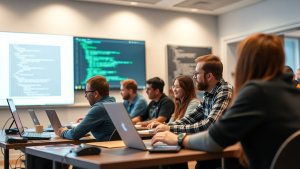
Before writing a single line of code, you need the right tools. The good news is that getting started takes less than ten minutes.
Installing Python: Head to python.org and download the latest stable version. During installation on Windows, be sure to check the box that says "Add Python to PATH." This single step saves countless hours of frustration down the road. On macOS and Linux, Python 3 is typically pre-installed, though you may want to update via Homebrew or your system's package manager.
Choosing an IDE or Editor: You don't need an expensive integrated development environment to start. A simple text editor like Visual Studio Code (free) pairs beautifully with Python. VS Code offers syntax highlighting, autocomplete, debugging tools, and a vast extension library. For those who prefer a more all-in-one solution, PyCharm Community Edition is free and purpose-built for Python.
The Python REPL: For quick experiments, open your terminal and type python. You'll enter the interactive interpreter (REPL), where you can type expressions and see results instantly. Try typing 2 + 2 and pressing Enter. That 4 that appears? Congratulations—you've written your first Python code.
Variables and Data Types
In Python, you create a variable by simply assigning a value to a name. No type declarations, no semicolons, no extra ceremony.
python
name = "Alice"
age = 25
height = 5.6
is_student = True
Python is dynamically typed, meaning the interpreter figures out the data type automatically. You work with integers, floats, strings, booleans, lists, dictionaries, tuples, and sets. For a beginner, the most critical types to understand deeply are strings, lists, and dictionaries.
Control Flow: Making Decisions and Repeating Actions
Every program needs to make decisions and loop through tasks. Python handles both with elegant, readable syntax.
If/Else Statements:
python
score = 85
if score >= 90:
print("Excellent!")
elif score >= 70:
print("Good job!")
else:
print("Keep practicing.")
Loops:
python
# For loop
for i in range(1, 6):
print(f"Count: {i}")
# While loop
count = 0
while count < 5:
print(count)
count += 1
Notice how Python uses indentation (typically four spaces) instead of curly braces to define code blocks. This forces consistent formatting and makes code inherently readable—a design choice that separates Python from languages like C++ or Java.
Functions: Writing Reusable Code
Functions let you package logic into named, reusable blocks. Python's def keyword makes this straightforward.
python
def greet_user(name, greeting="Hello"):
return f"{greeting}, {name}! Welcome to Python."
message = greet_user("Alice")
print(message) # Hello, Alice! Welcome to Python.
Functions can accept default arguments, keyword arguments, and even other functions as parameters. Mastering functions early will dramatically speed up your ability to write organized, scalable code.
Working with Data Structures
Lists and dictionaries are your workhorses. A list stores an ordered collection; a dictionary stores key-value pairs.
python
# List
fruits = ["apple", "banana", "cherry"]
fruits.append("mango")
print(fruits[0]) # apple
# Dictionary
student = {"name": "Alice", "grade": 92, "major": "Computer Science"}
print(student["name"]) # Alice
Understanding how to iterate, slice, and manipulate these structures will cover the vast majority of day-to-day Python programming tasks.
Error Handling with Try/Except
Programs crash. User input is unpredictable. External files might not exist. Python's try/except block lets you handle errors gracefully instead of letting your program die.
python
try:
number = int(input("Enter a number: "))
result = 100 / number
except ValueError:
print("That's not a valid number.")
except ZeroDivisionError:
print("You can't divide by zero!")
Learning to read tracebacks and anticipate common errors is a skill that separates functional programmers from frustrated beginners.
Reading tutorials is one thing. Writing your own code is another. Here are four beginner projects that build on the concepts above and keep you motivated:
1. Command-Line To-Do List – Store tasks in a list, allow users to add, remove, and mark items complete. Save data to a text file so it persists between sessions. This teaches you file I/O, string manipulation, and basic user interaction.
2. Simple Calculator – Accept two numbers and an operator from the user, then perform the operation. Add error handling for invalid inputs. Progress to supporting multiple operations in a menu loop.
3. Number Guessing Game – The computer picks a random number (use the random module). The user guesses, and you provide "higher" or "lower" hints until they win. Track the number of attempts. This reinforces loops, conditionals, and the random library.
4. Personal Expense Tracker – Record income and expenses with dates and categories. Generate a monthly summary. Introduce basic data analysis. This project naturally leads into pandas and data visualization with matplotlib, bridging general Python into the data science world.
Each of these projects takes one to three evenings to complete. The key is finishing them, not perfecting them. You'll revisit and improve them as your skills grow.
Ignoring Indentation: Forgetting to indent code under a for loop or if statement is the single most common beginner error. The interpreter will throw an IndentationError—read it carefully and fix the spacing.
Mixing Up Assignment (=) and Comparison (==): x = 5 assigns a value. x == 5 checks equality. Using the wrong one is a one-character bug that causes subtle logic errors.
Not Using Virtual Environments: As you install libraries with pip, dependencies can conflict. Learn to create a virtual environment with python -m venv my_project_env and activate it before installing packages. This keeps each project isolated.
Copy-Pasting Without Understanding: Tutorials are great, but if you can't explain what a line of code does, you haven't truly learned it. Type code out manually, modify values, and predict the output before running.
Skipping the Documentation: Python's official documentation (docs.python.org) is remarkably well-written and should be your first resource when something behaves unexpectedly.
A scattered approach to learning leads to frustration. Here's a proven 12-week roadmap:
Dedicate 45–60 minutes daily. Consistency beats intensity. A 30-minute session every day outperforms a 5-hour weekend binge every single time.
Free:
Paid:
Once you're comfortable with core Python, the ecosystem offers an enormous breadth of specializations:
os, subprocess for automating repetitive tasks.You don't need to master all of these. Pick the path that excites you most and go deep. Python's versatility means your foundational knowledge transfers across every one of these domains.
The biggest barrier to learning Python isn't difficulty—it's starting. You don't need a computer science degree, prior programming experience, or a perfect setup. You need a laptop, a browser, and the willingness to type print("Hello, World!") and see it work.
Every expert Python developer was once a beginner who struggled with an IndentationError, forgot a colon at the end of an if statement, or accidentally typed pythn instead of python in the terminal. It happens to everyone. The code that looks elegant and effortless was once fumbled and confusing.
Set a small goal for this week. Install Python. Open VS Code. Write ten lines of code. You don't need a 12-week plan to begin. You just need the first line. And Python makes writing that first line about as easy as it can be.
Your journey from "what is a variable?" to building real software is more accessible than at any point in history. The language was designed to be learnable. The community is vast and welcoming. The resources are abundant and, in many cases, free.
The only missing piece is you. Open that terminal, type python, and press Enter. You've got this.
https://www.cbs.com.sg/python-for-beginners-your-complete-guide-to-learning-programming/
copy