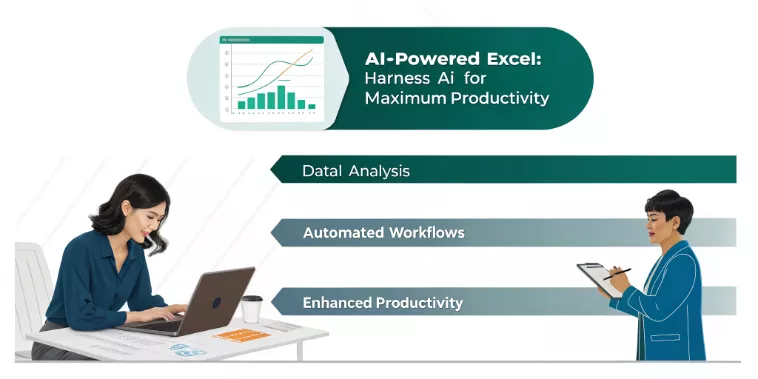
AI-Powered Excel: Harness AI for Maximum Productivity

In today’s data-driven world, the integration of AI tools within Microsoft Excel is transforming the way professionals work, automating processes, and driving data driven decision-making. This hands-on workshop empowers participants to unlock the full potential of AI-powered Excel, seamlessly combined with external platforms like ChatGPT, to streamline workflows and elevate productivity.

This course is designed for individuals who have basic knowledge of Excel and are eager to enhance their skills by incorporating AI solutions for smarter and more efficient practices.

Learners are required to bring a wifi-enabled laptop with Microsoft Excel

Course Objectives

1. Understand and apply built-in AI tools in Microsoft Excel such as Flash Fill,
Power Query, and TextJoin to streamline data manipulation tasks.
2. Explore the capabilities of ChatGPT and learn how to integrate it with Excel for
advanced functionalities.
3. Develop skills in crafting and debugging formulas using AI, including creating
datasets and improving existing formulas.
4. Transform and clean up data efficiently by leveraging AI for handling data from
PDFs, images, and other sources.
5. Analyze complex datasets using advanced AI techniques to derive actionable
insights.
6. Automate repetitive tasks such as creating macros and dashboards using AI
tools.
7. Apply knowledge gained through real-world examples and practical exercises to
enhance decision-making and workflow efficiency.

Course Outline

Module 1: Leveraging AI Tools in Excel

  • Introduction to Flash Fill, TextJoin, and Concatenate for quick data manipulation.
  • Mastering Power Query to handle complex datasets effortlessly.

Module 2: Getting Started with ChatGPT in Excel

  • Overview of ChatGPT: Features and versions (ChatGPT 3.5 vs. 4.0).
  • Step-by-step guide to acquiring and setting up ChatGPT for Excel.
  • Exploring basic commands and functionalities to enhance Excel usage.

Module 3: Excel Formulas Using ChatGPT

  • Introduction to Prompt Engineering and its role in crafting effective commands.
  • Generating formulas, creating tables, and building datasets with ChatGPT.

Module 4: A Deeper Dive into Formulas with ChatGPT

  • Writing advanced Excel formulas with ChatGPT assistance.
  • Debugging and fixing formulas using AI tools.
  • Refining and optimizing existing formulas for greater efficiency.

Module 5: Cleaning Up Data with AI

  • Transforming data from PDFs, images, and external sheets into usable formats.
  • Leveraging AI tools for effective and accurate data cleansing.

Module 6: Advanced Data Analysis Techniques

  • Using AI to perform in-depth data analysis and generate actionable insights.
  • Exploring AI-driven methods for identifying trends and patterns in datasets.

Module 7: Automating Tasks with AI Tools

  • Creating macros with AI to automate repetitive processes.
  • Designing interactive dashboards using AI for visualizing data effectively.

Module 8: Course Review and Q&A

  • Comprehensive recap of key concepts and techniques covered in the workshop.
  • Interactive Q&A session to address participant queries and provide further guidance.
Testimonials

“Excellent training. The engagement between Aloysius and the participants was very good. He was willing to listen and give examples or answers to questions. It was great learning to combine AI with Dataset to get better views” – Operations Manager Siemens Energy

“Learnt how to integrate ChatGPT and Copilot into Excel. It was very useful to use AI and Macro functions in Excel. This training will help me save time in data analysis and report preparation” – Process Engineer Siemens Energy

“Aloysius was clear, very patient, and helpful. He has a good understanding of his work. My key takeaway from this training class was using ChatGPT to perform some Excel functions for data cleaning and analytics. Glad to have attended this training, what I have learned will help me to be more efficient in my work” – Executive – MOH Holdings

Training Methodology

– Hands-On, Guided Practice
– Framework-Based Skill Building
– Applied, Use-Case-Driven Learning
– Interactive Facilitation and Discussion
– Role-Relevant Customization
– Break-out Sessions

Who Should Attend
  • Excel Users: Professionals with foundational Excel skills looking to enhance their productivity through AI integration.
  • Data Analysts and Professionals: Those aiming to automate tasks and improve data analysis techniques.
  • Educators and Trainers: Individuals seeking to incorporate AI tools into their training or teaching workflows.
  • Small Business Owners and Entrepreneurs: Professionals eager to use AI tools to optimize operations and decision-making.
  • AI Enthusiasts: Individuals interested in exploring the transformative potential of AI in day-to-day tasks.
About the Trainer

A man in a black suit posing for a photo.

AI & Productivity Trainer – Aloysius Soong

With over 8 years of experience, Aloysius empowers professionals and organisations to unlock their potential through practical, results-driven training. Specialising in AI, sales negotiation, and transformational leadership, he has worked extensively with MNCs, SMEs, and government agencies, delivering tailored programs that drive tangible business outcomes.

Aloysius combines deep expertise in emerging technologies, consultative problem-solving, and leadership development to equip participants with skills that matter in today’s fast-evolving digital landscape. Known for his engaging, hands-on approach, he blends cutting-edge insights with practical strategies, ensuring every session resonates and delivers measurable impact.

In the AI-Powered Excel: Harness AI for Maximum Productivity workshop, Aloysius guides participants to master AI tools in Excel, including ChatGPT integration, to streamline workflows, automate repetitive tasks, and turn data into actionable insights. His practical focus ensures participants leave ready to apply their learning immediately, boosting productivity and decision-making in their roles.

Aloysius’s dedication to continuous learning and his ability to connect with diverse audiences make him a trusted partner for professionals seeking to stay ahead in a data-driven world.