Download Corporate Calendar 2027 Download

 12 minutes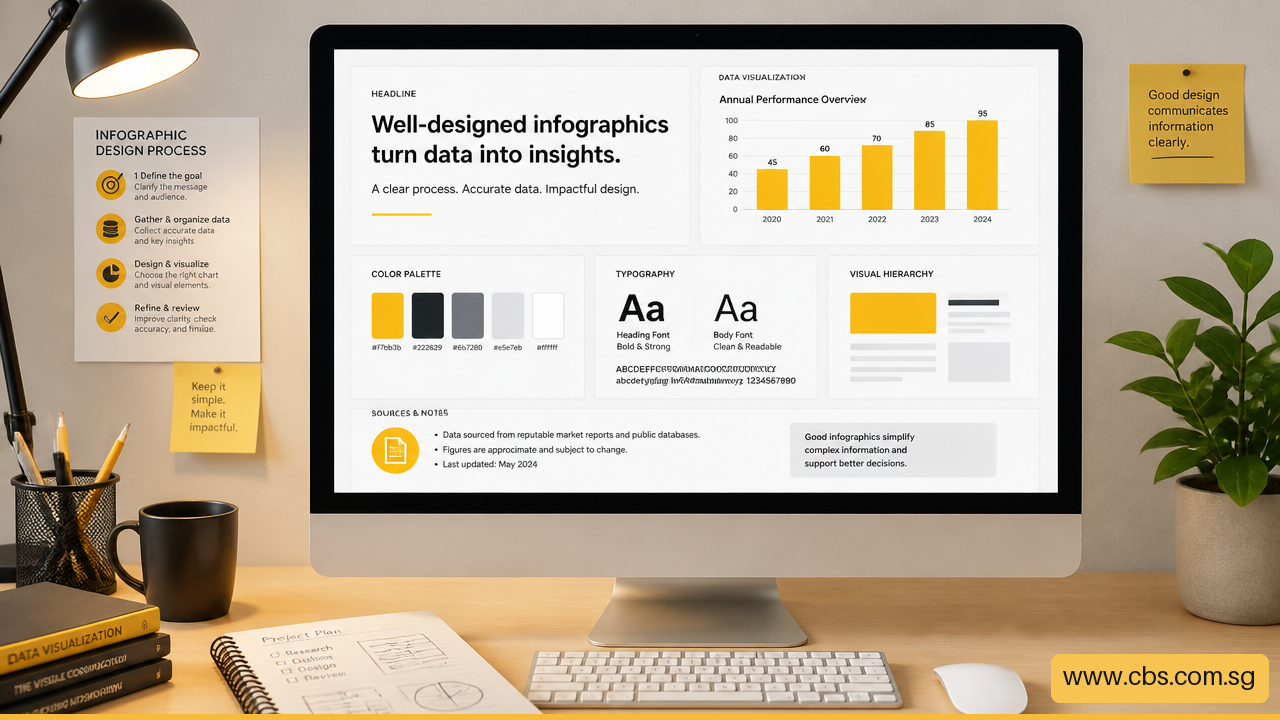
What are the key elements of a successful infographic? A successful infographic makes one important message easy to understand, remember, and act on. It does more than make information look attractive. It combines accurate evidence, clear data visualization, purposeful layout, readable typography, and a logical story that helps viewers grasp the point quickly.
I recommend judging an infographic by comprehension rather than decoration. If a busy reader can identify the main finding, understand why it matters, and know what to do next, the design is doing its job.
• Build A Clear Message And Evidence Base
• Turn Information Into A Visual Story
• Design For Access, Context, And Testing
A polished infographic can still fail if it leaves readers unsure about the point. Before choosing colors, icons, or charts, write a one sentence success statement. For example: _“After viewing this infographic, employees should understand the three most common causes of phishing and report suspicious messages.”_
This statement creates a practical filter. Every statistic, image, label, and section should help the audience reach that outcome. If an element is interesting but does not improve understanding or action, remove it.
A useful infographic usually has these core elements:
• One central message that can be stated in a sentence
• Accurate, relevant data and clear source provenance
• A logical sequence that moves readers from context to insight
• Visual hierarchy that makes priorities obvious
• Appropriate charts, labels, and annotations
• Accessible color, typography, and text alternatives
• A next step when the purpose calls for action
Not every detail deserves the same visual weight. I recommend sorting content into three layers before building the layout:
Information Layer | Reader Need | Design Treatment |
|---|---|---|
Must see | The main conclusion or action | Largest headline, key number, dominant visual |
Should see | Evidence needed to understand the conclusion | Supporting chart, short explanation, labels |
Can see | Useful context for interested readers | Notes, definitions, methodology, detailed sources |
The Data Visualization Literacy Center’s infographic principles support using one central idea, removing extraneous visuals, and creating a clear information hierarchy. This matters because visual attention is limited. When five facts compete for first place, readers may remember none of them.
Consider an infographic about workplace stress. The _must see_ message might be that workload is the most commonly reported concern in an internal survey. The _should see_ layer could compare workload with other concerns. The _can see_ layer might explain the survey period, sample size, and question wording. That structure prevents the methodology from overpowering the main insight while keeping it available for readers who need it.
The strongest infographics answer a focused question. Examples include: “Which customer service issue causes the longest wait time?” or “How has energy use changed over five years?” These questions give the infographic a job to do.
Avoid trying to explain an entire subject in one long canvas. A broad topic such as artificial intelligence in the workplace may need a series of infographics rather than one crowded graphic. One piece could explain common AI tasks, another could address responsible use, and a third could show a workflow. Separating them makes each message easier to process.
A headline should express the finding, not merely name the topic. “Cybersecurity Awareness Survey” is a label. “Most Reported Security Risks Begin With Email” is a message. The second headline gives the audience a reason to keep reading.
Accurate data is the foundation of trustworthy visual communication. Before making a chart, record four details for every important statistic:
This is source provenance. It helps readers decide whether the information applies to their situation. A percentage may look precise but still mislead if the audience does not know whether it represents 50 people, 5,000 people, one location, or several years.
Keep sources compact but visible. A small footer can include the organization, publication date, dataset title, and a short note about definitions. Do not hide a crucial limitation in tiny text. If a conclusion depends on an important condition, bring that condition into the main narrative.
The University of Toledo’s guidance on infographic creation emphasizes researched content, concise wording, appropriate visualization, and storytelling. In practical terms, research comes first; visual polish cannot repair weak evidence.
A common failure occurs when an infographic blends facts and opinions so closely that readers cannot tell them apart. Keep three layers distinct:
• Evidence shows what the data says.
• Interpretation explains the likely meaning of the evidence.
• Recommendation states the next action or decision.
For example, a bar chart may show that incident reports rose from one quarter to the next. That is evidence. “The increase was concentrated in one department” is interpretation if supported by the data. “Provide refresher training for that department” is a recommendation.
This separation is especially useful for policy, health, finance, security, and workplace topics. It makes the infographic more transparent and lets readers assess whether the recommendation follows reasonably from the evidence.
Charts are not interchangeable decoration. Each chart type makes a different relationship easier or harder to see. Choose the visual form based on the question readers need to answer.
If You Need To Show | Usually Choose | Use Caution With |
|---|---|---|
Differences among categories | Bar chart | Pie chart with many slices |
Change over time | Line chart | Bars when many time points create clutter |
Parts of a whole | Stacked bar or limited pie chart | Composition charts with tiny segments |
Distribution of values | Histogram or dot plot | Averages alone, which can hide variation |
Relationship between two measures | Scatter plot | Connecting unrelated points with lines |
For instance, if you need to show quarterly sales trends, a line chart allows readers to see direction, peaks, and dips. If you need to compare five departments at one point in time, bars are often clearer. A decorative donut chart may look neat, but it makes close comparisons difficult when slices are similar in size.
Avoid 3D effects, distorted scales, and icons that exaggerate quantities. A chart should make the relationship perceptible, not force readers to estimate it. For deeper practice in selecting and explaining visuals, Data visualization and storytelling with Tableau can help connect data analysis with a clear narrative.
Readers should not have to repeatedly look from a chart to a distant legend and back again. Direct labeling places names, values, or short descriptions near the relevant data. It reduces mental effort and speeds interpretation.
Annotations add the “why.” A short note beside a peak in a line chart can explain that a policy change, campaign, or seasonal event occurred at that time. Without the annotation, readers may see the change but miss its relevance.
Use annotations selectively. If every bar has a paragraph attached, the chart becomes a poster-sized footnote. Add notes only where they answer a likely question or point to the key insight.
The RMIT University Learning Lab’s infographic guidance notes that successful infographics are concise, visually communicative, logically organized, and easy to process. Numbers, arrows, section labels, and color cues can all guide that sequence when they are used consistently.
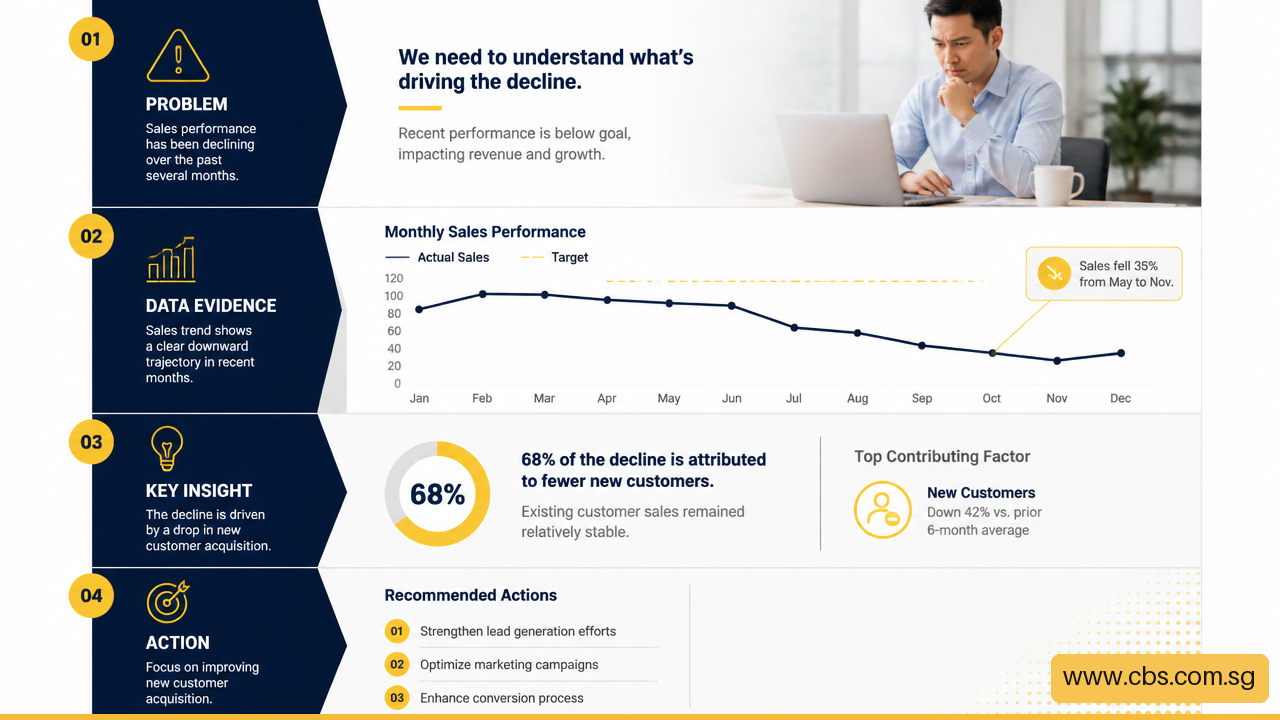
An infographic needs a beginning, middle, and end. The layout should reveal that path without requiring instructions.
A reliable flow often follows this order:
Vertical layouts often work well for mobile reading because the eye naturally moves downward. A left to right sequence can work in presentations or print materials, but it needs clear grouping and directional cues. Fair warning: arrows are useful only when the order is not already obvious. Too many arrows can make a simple page feel like a maze.
White space is part of the structure, not empty waste. It separates ideas, gives labels room to breathe, and prevents unrelated elements from blending together. For principles on readable text, contrast, purposeful color, and spacing, see the University of Prince Edward Island’s infographic design guidance.
Color can group related information, show changes, flag risk, or create emphasis. It should not be the only way readers distinguish categories. A red and green chart, for example, may be difficult for some people to interpret. Add direct labels, patterns, shapes, or position differences so the meaning remains clear without color alone.
Keep the palette limited. One neutral base, one main accent, and one or two supporting colors are often enough. Reserve the strongest color for the most important data point. If every section uses bright emphasis, nothing stands out.
Typography creates hierarchy through size, weight, spacing, and placement. Use a readable body font, keep the number of font families low, and avoid squeezing text into tight spaces. Large headings do not solve a weak hierarchy if every heading is equally large.
For more practical design choices around hierarchy, spacing, and audience attention, Presentation design truths exposed offers related principles that apply beyond slide decks. (Creating impactful infographics using Microsoft PowerPoint)
An infographic designed on a large desktop screen may fail on a phone. Mobile readers may encounter a compressed image in a messaging app, a cropped social post, or a small preview in an email. I recommend checking the design in the format people will actually use.
Ask these questions before publishing:
• Can the headline be read without zooming?
• Are labels still legible after image compression?
• Does the layout require side to side scrolling?
• Will essential information be cut off by a social media crop?
• Does the print version retain enough contrast in grayscale?
There is no universal pixel size or word count that guarantees success because platforms and viewing distances vary. A detailed annual report graphic may work as a PDF, while an awareness message shared through chat may need far fewer elements. When in doubt, create a simplified mobile version rather than shrinking a complex desktop layout.
Accessibility also includes a text alternative. Provide alternative text or accompanying copy that states the main conclusion, identifies key data, and explains meaningful relationships. A vague description such as “infographic about productivity” does not communicate enough. A useful alternative might state: “Bar chart showing that meeting time is the largest reported barrier to focused work across four departments.”
A final review should test understanding, not merely spelling and alignment. Ask a few representative readers to view the infographic briefly, then answer questions such as:
• What is the main message?
• Which number or finding stood out first?
• What do you think the chart compares?
• Is any label, symbol, or term unclear?
• What action, if any, does the infographic suggest?
If readers give different answers to the first question, revise the hierarchy or headline. If they understand the data but not the recommendation, strengthen the final section. If they misread a chart, simplify the visual rather than adding a longer explanation.
Testing is particularly valuable when the subject involves technical terms, sensitive issues, or decisions with real consequences. A security infographic, for example, should not assume that every employee understands terms such as “multi factor authentication” or “social engineering.” Define essential language in plain English and test whether the wording works.
A successful infographic delivers a clear, accurate message with minimal effort from the reader. Its data, structure, visuals, and wording all support the same conclusion. It should also suit its distribution context, whether that is mobile, print, a report, or a presentation.
It should usually communicate one central idea supported by a small number of related points. If the content contains several independent messages, split it into a series. One main idea does not mean one statistic; it means every statistic contributes to the same answer.
Choose based on the relationship you need to show. Use bars for comparison, lines for change over time, scatter plots for relationships, and distribution charts when variation matters. Avoid chart forms that make accurate comparison difficult, especially when values are close.
Text is too much when readers must read paragraphs before they can understand the visual. Keep explanations short, but do not remove essential definitions, caveats, or source details. A simple test is whether the graphic still communicates its main point when viewed from a short distance.
Yes. Include the data source, relevant date, and enough context to explain what the figures cover. Source information supports credibility and helps prevent readers from applying an outdated or narrowly scoped statistic too broadly.
Use sufficient contrast, readable type, and labels that do not rely on color alone. Provide a text alternative or nearby written summary for meaningful visuals. Test the infographic at small sizes and make sure critical information remains available when images do not load.
Not always. A call to action is useful when the infographic aims to change behavior, support a decision, promote a resource, or invite further learning. A purely explanatory graphic may end with a concise takeaway instead. The closing should match the purpose.


https://www.cbs.com.sg/what-are-the-key-elements-of-a-successful-infographic/
copy

